
You see the programme
as it moves.
Programme stages, stock movement and order status sit in one tracked view, so you know where the range stands without waiting for an update. Nothing about the programme has to be chased to be understood.
Programme, stock and orders in one view.
Programme stages, stock movement and order status in one tracked view. Access, permissions and the information shown are agreed per programme.
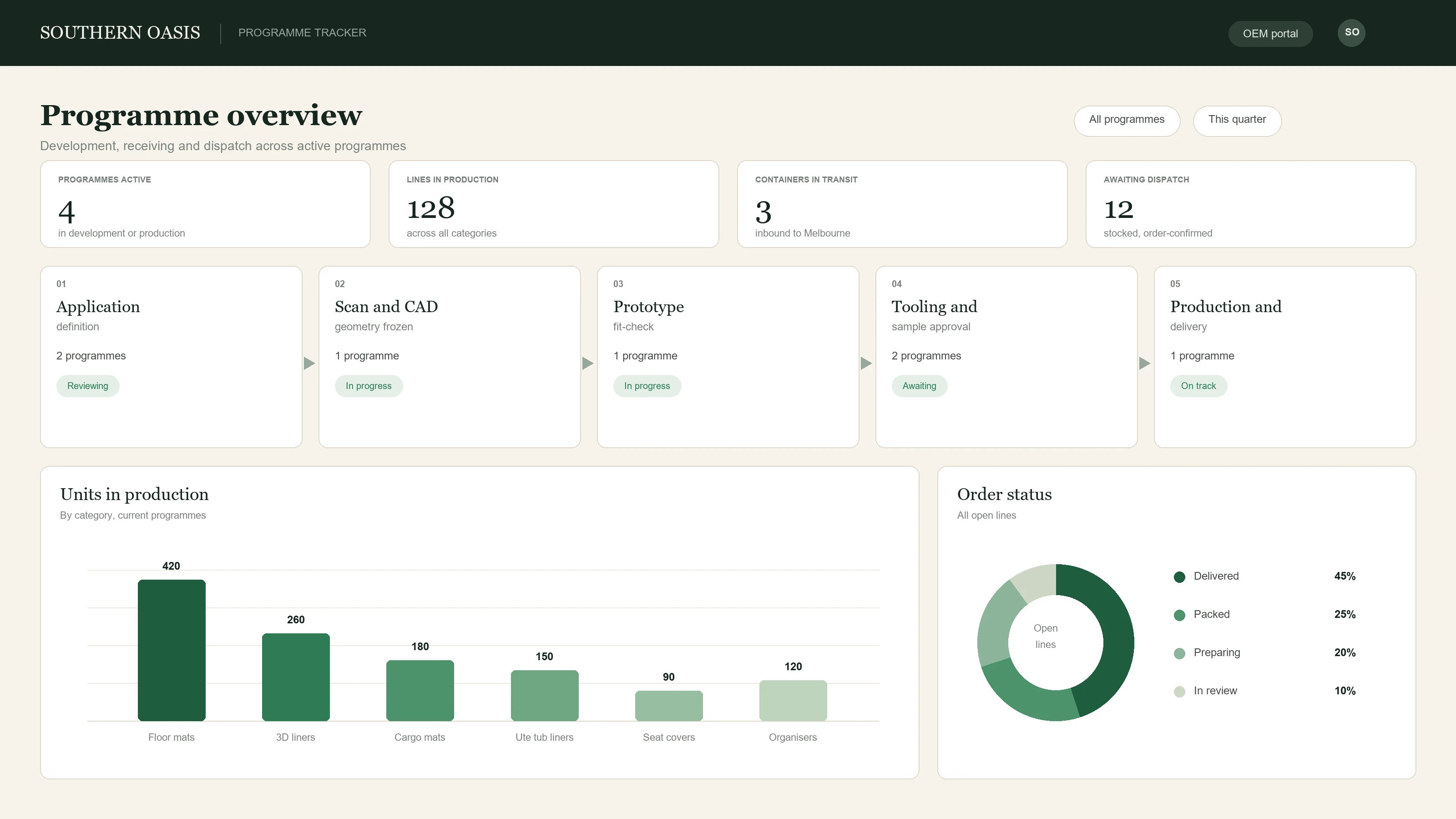 Illustrative view / access configured per programme
Three views, one programme.
Programme stages
Key milestones stay visible from concept and development through validation, production and delivery, with the agreed stages shown for your programme.
Stock and inbound visibility
Inventory, inbound shipments, receiving and order movement are connected, so current planning and exception follow-up work from the same picture.
Local fulfilment support
Local warehousing and fulfilment support dealer and customer orders. For stocked, order-confirmed items, dispatch is subject to stock availability and agreed cut-offs.
Portal access, displayed information, permissions and reporting are agreed with each OEM customer. Specific workflow, system integrations and milestones depend on programme scope.
What changes when nothing has to be chased.
Fewer status requests
Authorised teams check progress directly instead of waiting for a reply, so questions stop competing with the work itself.
Exceptions surface earlier
An inbound delay or a stock shortfall is seen while there is still room to re-plan, not after the launch date is fixed.
Decisions happen once
When the approved reference, the stock position and the order status are visible together, approvals stop being revisited.
What is visible at each point.
| Stage | What you can see | What it depends on |
|---|---|---|
| Application definition | Vehicle application status and category scope | Confirmed model, year and variant |
| Scan and CAD | Geometry status and revision | Frozen application and access to the vehicle |
| Prototype and fit-check | Sample status and fit-check notes | Frozen geometry |
| Tooling and approval | Approval status and the reference version in production | Approved sample |
| Production and delivery | Order status, stock position and dispatch timing | Released specification and confirmed order |
The sequence is standard. What varies per programme is how much can run in parallel, which is set once the application and the approval path are known.
Before you ask.
What can we see without asking for an update?
Programme stages, stock and inbound movement, and order status. What is displayed, and to whom, is configured for your programme rather than opened to everyone.
Do we have to use the portal?
No. Access can be configured for authorised team members, and reporting can be agreed in whatever form suits the programme. The tracker is there to remove status-chasing, not to add a system to learn.
How fast can a new range be developed?
It depends on the vehicle application, how much of the range already exists and how many approval stages are required. The schedule is staged and agreed at brief stage rather than quoted as one number.